Veterinary

Veterinary technology for the whole practice.

Ark brings clinical, operational, and client work into one practice platform. We also take on selective clinic technology projects in documentation, client communication, reporting, and secure systems.

Private beta

Ark, our veterinary practice platform.

Ark runs the whole clinic in one place, from the schedule to the chart to the bill. Doctors talk instead of type. Ark writes the note from the visit, Noah does the jobs you ask for, and nothing is saved until the doctor approves it.
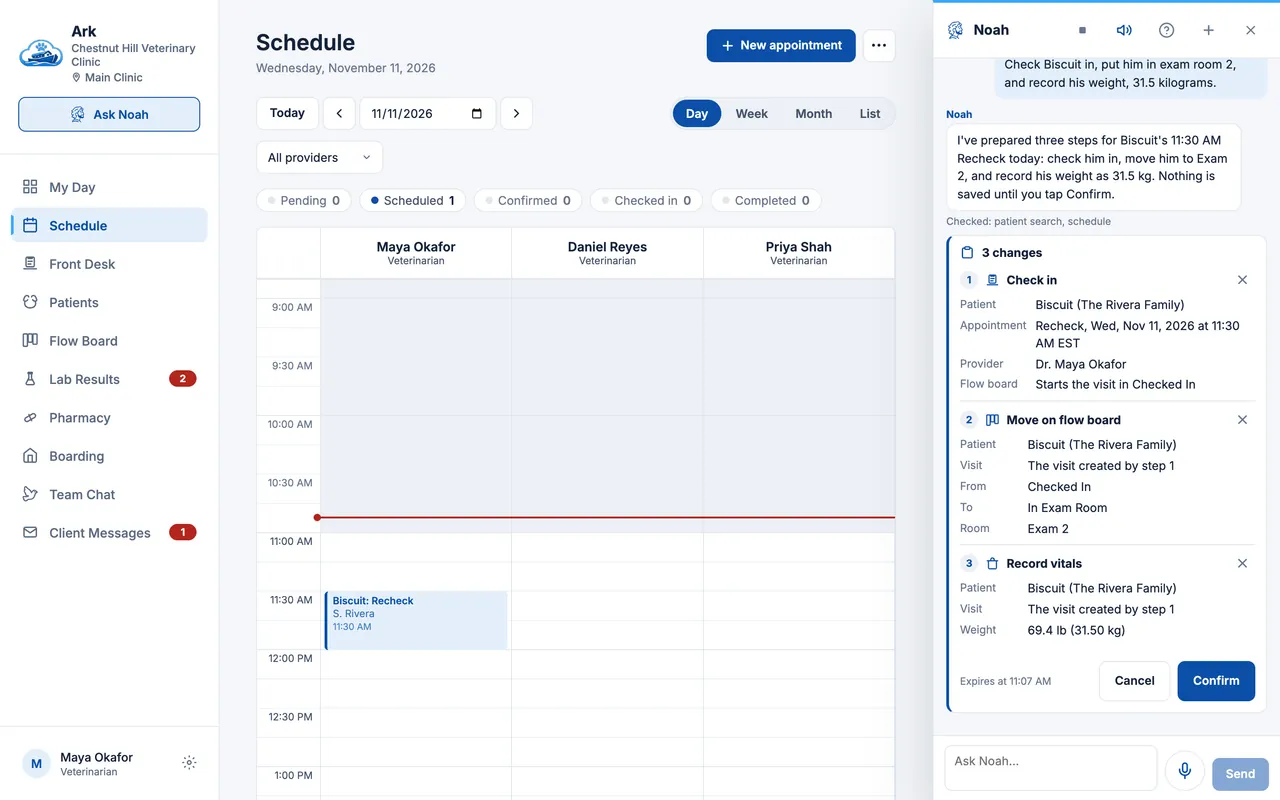
The day's schedule in Ark on a desktop screen with Noah docked on the right, showing the doctor's typed request and one card with three steps, check in, move to an exam room, and record the weight, with Cancel and Confirm buttons. Private beta, fictional demo data.
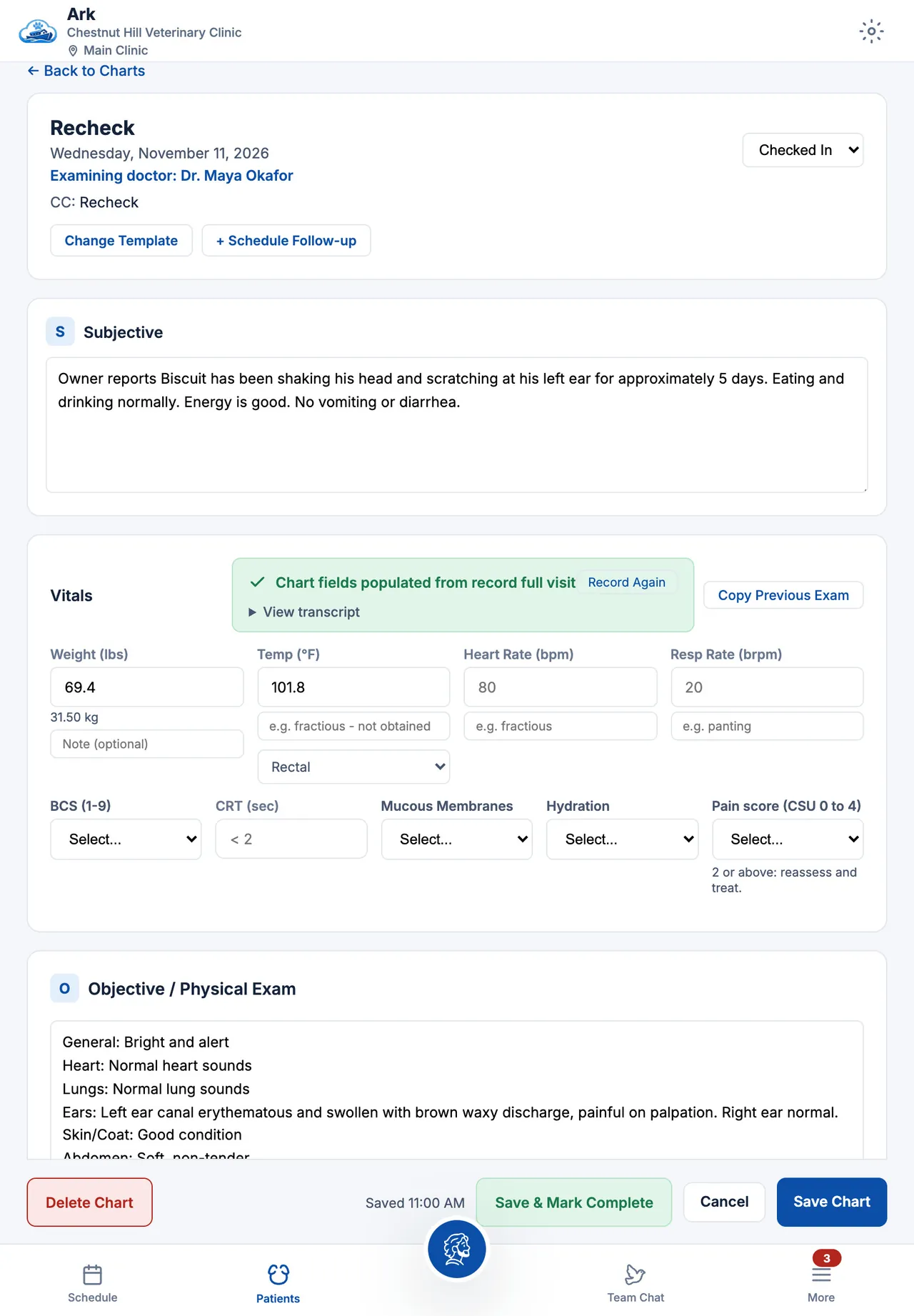
A recheck visit chart in Ark on a tablet held upright, with the Subjective and Objective sections filled in and a green line saying the chart fields were populated from the recorded visit. Private beta, fictional demo data.
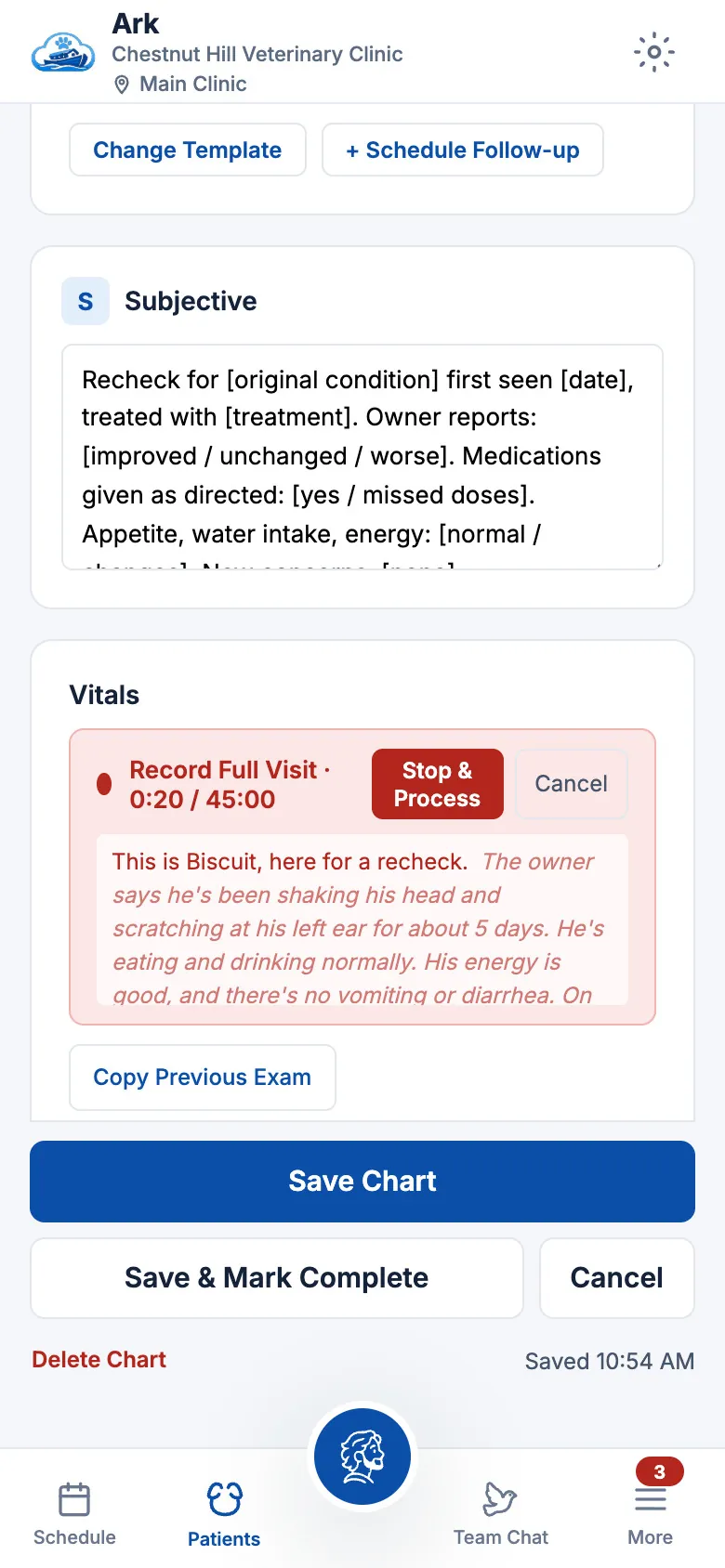
The same recheck chart on a phone with Record Full Visit running, a timer, and the doctor's words appearing as they are spoken. Private beta, fictional demo data.
Shown with fictional demo data.
At the desk
Say it once. Noah lines up the check in, the exam room, and the weight on one card, and nothing is saved until you tap Confirm.
In the exam room
Record the visit and Ark writes the note into the chart, ready for the doctor to review.
Between rooms
Tap Record and talk through the exam. The words appear as you say them.

What is in Ark

  • Charting by voice, with live dictation or a recorded visit
  • Noah, a voice assistant that knows the clinic's records and does the typing
  • Scheduling and online booking
  • Prescriptions and refills
  • Inventory and controlled drug logs
  • Boarding
  • Billing and invoices
  • Team chat and client messages
  • A client app in your clinic's name

Walk in knowing. Walk out charted.

Noah goes where the doctor goes. Hold the button and talk. Ask about a patient and Noah tells you the history out loud, from your clinic's own records. Say what you found and Noah writes the chart. Give it three jobs in one sentence and it lines them up on one card. Nothing is saved until the doctor taps Confirm.
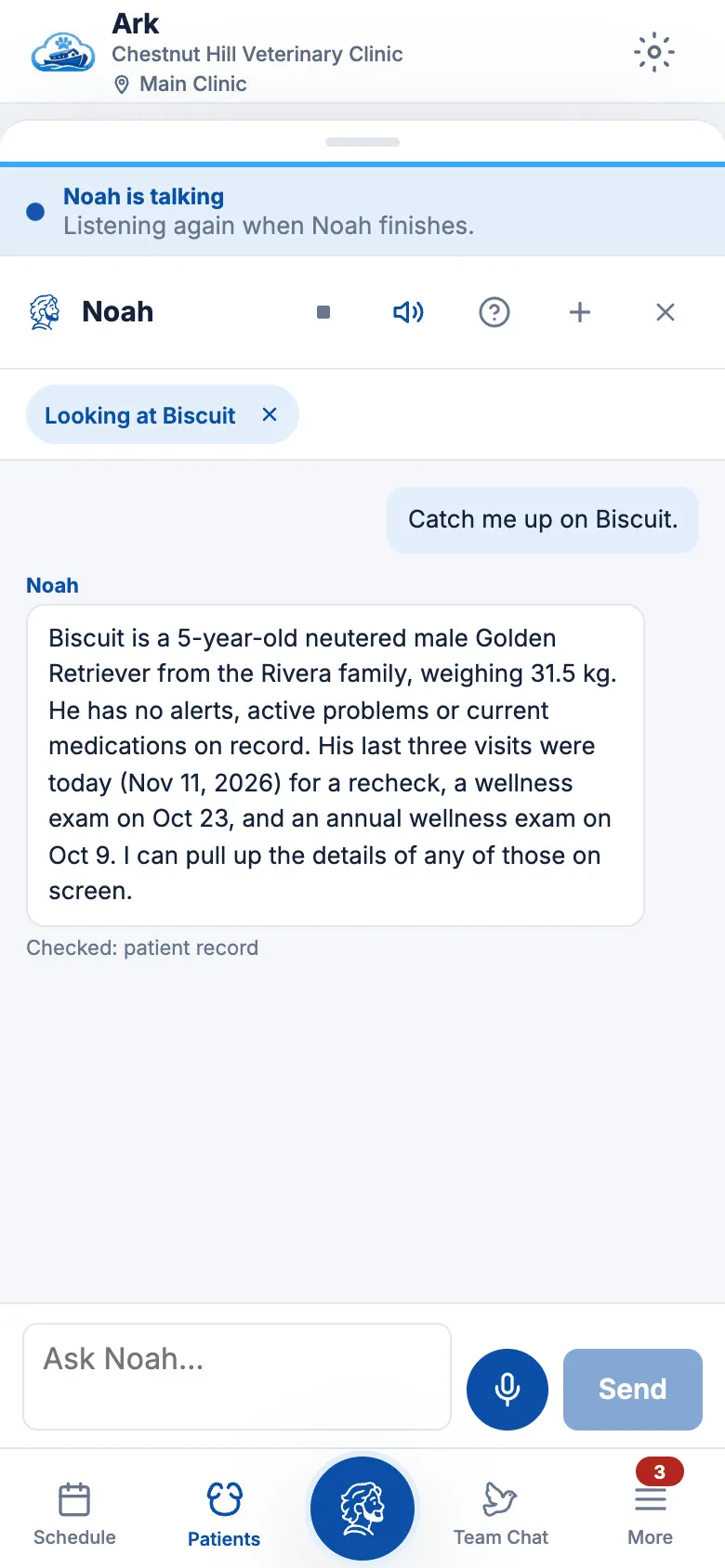
  1. Noah talking on a phone after the question Catch me up on Biscuit, with a spoken summary of a fictional dog's history and today's recheck visit. Private beta, fictional demo data.

    Before the room

    “Catch me up on Biscuit.”

    The history, the meds, the alerts, and why he is here today, spoken while you walk to the door. No chart to open.
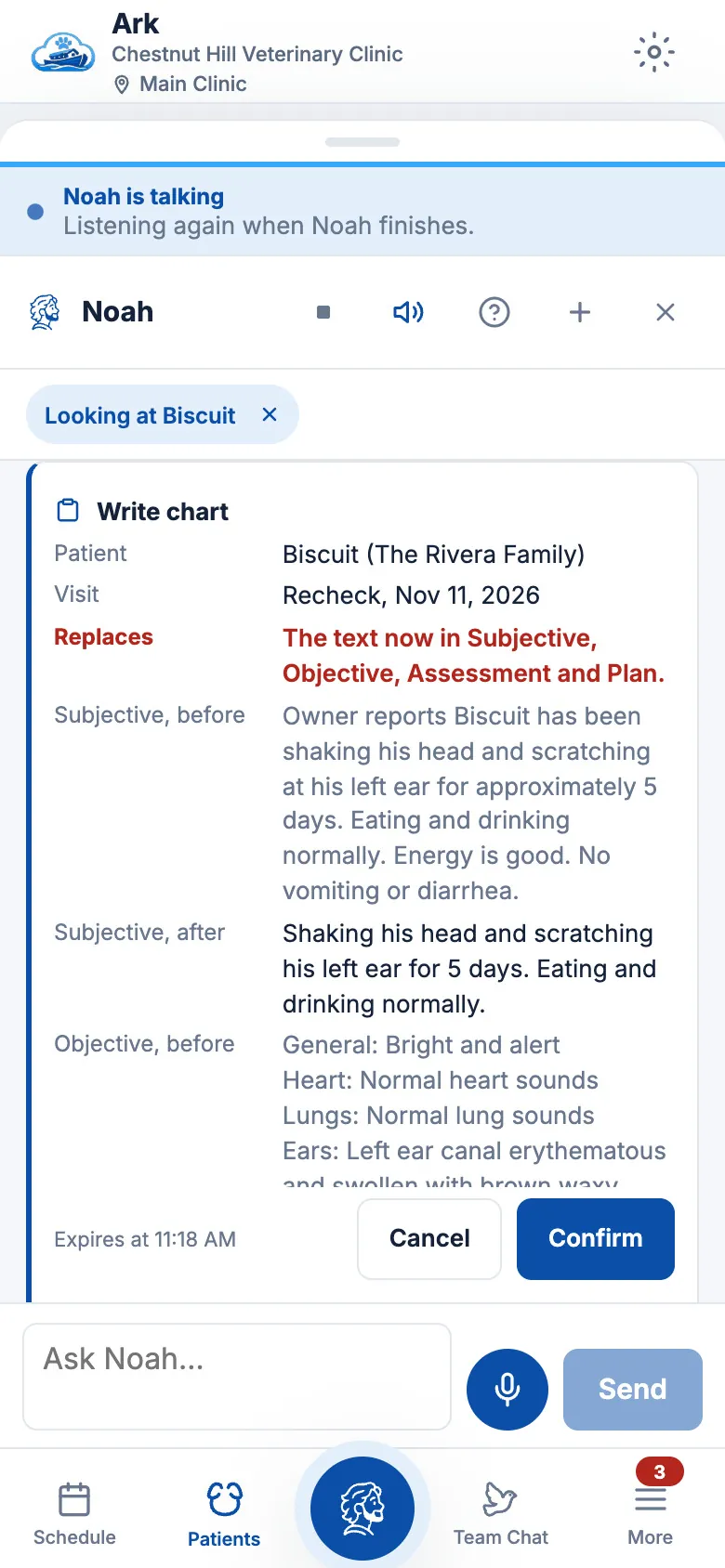
  2. A Write chart card on a phone listing each chart section before and after, with Cancel and Confirm buttons. Private beta, fictional demo data.

    In the room

    “Write his chart.”

    Say the exam out loud. Noah writes each section and shows it before and after, so you see every change before you approve it.
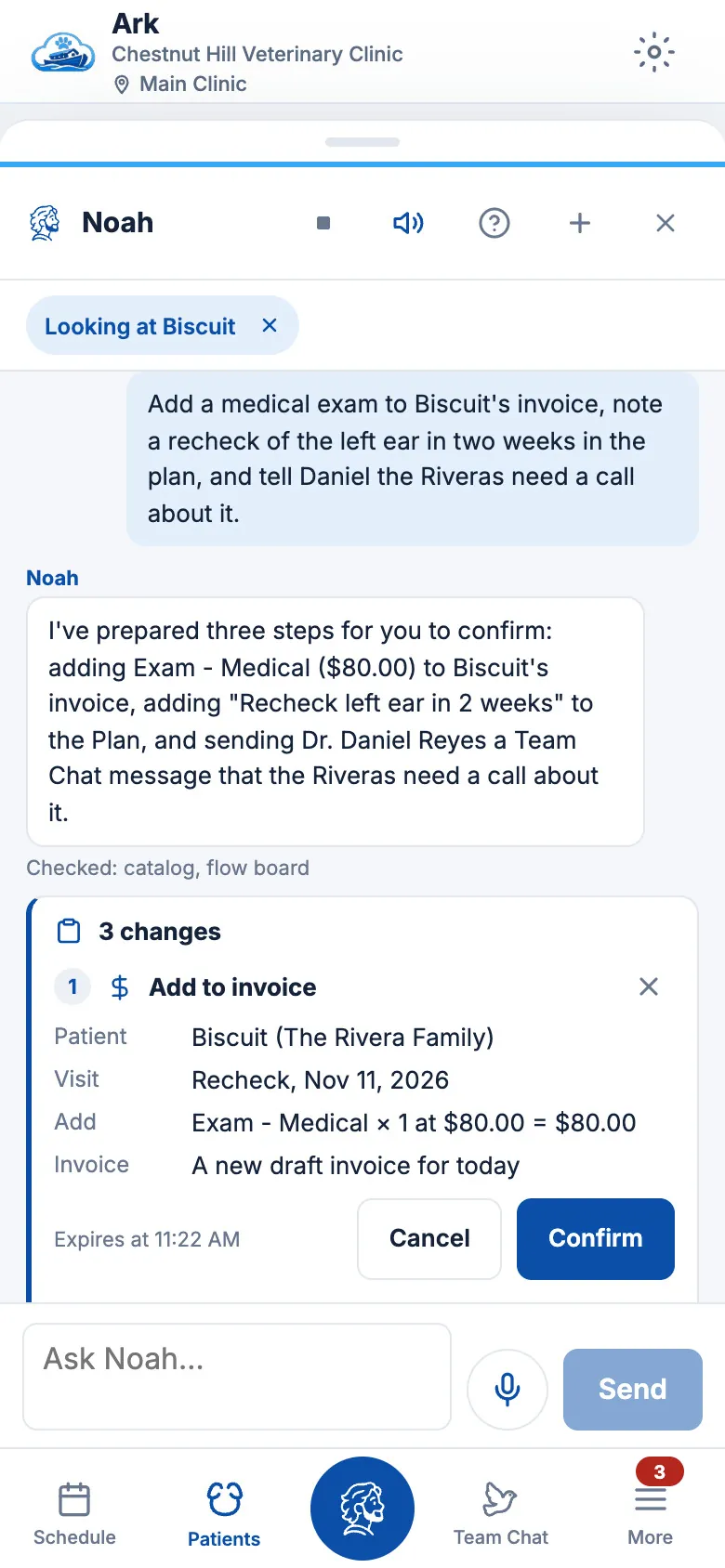
  3. The doctor's one sentence request on a phone, Noah's reply naming three steps, and the top of a card labeled 3 changes with a Confirm button. Private beta, fictional demo data.

    On the way out

    “Add the exam, note the recheck, tell Daniel.”

    Three jobs in one sentence. Noah puts the charge, the plan note, and the message to a teammate on one card, and one tap approves them.

Noah answers only from your clinic's records and says what it checked. It never prescribes, never touches controlled drugs, and never changes clinic settings. Patient records are never sent to an outside AI service.
Noah in the staff app on a phone, shown with fictional demo data.
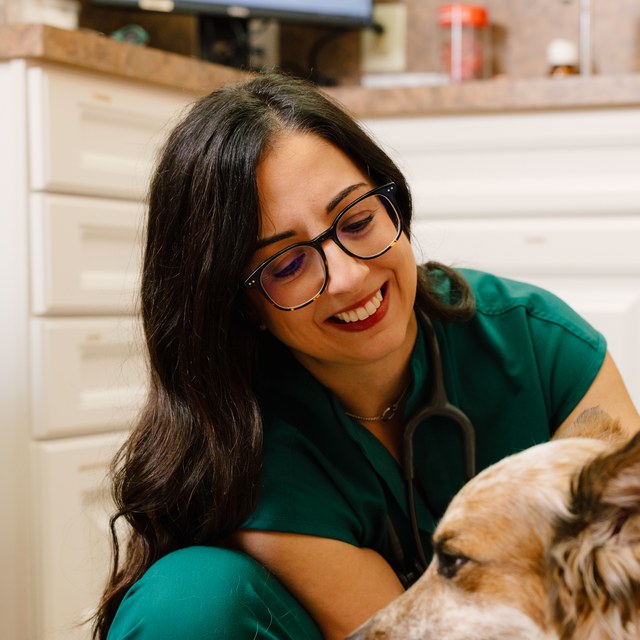
Dr. Carla Germano, VMD

Dr. Carla Germano, VMD, Lead Veterinary Advisor

Practicing veterinarian. Her clinic workflow perspective shapes Ark.

Clinic projects

Focused projects for clinics, scoped one at a time.

We take on clinic technology work where the scope is clear and our experience fits, one project at a time.

AI assisted documentation

Visit notes drafted from the exam for the doctor to review and approve, so charting stops following everyone home.

Client communication and intake

Booking, reminders, intake forms, and a client portal that cut the phone volume at the front desk.

Reporting and integrations

Connect the practice software, lab, and payment systems so leadership sees one set of numbers.

Client app demo

The app your clients use carries your clinic's name.

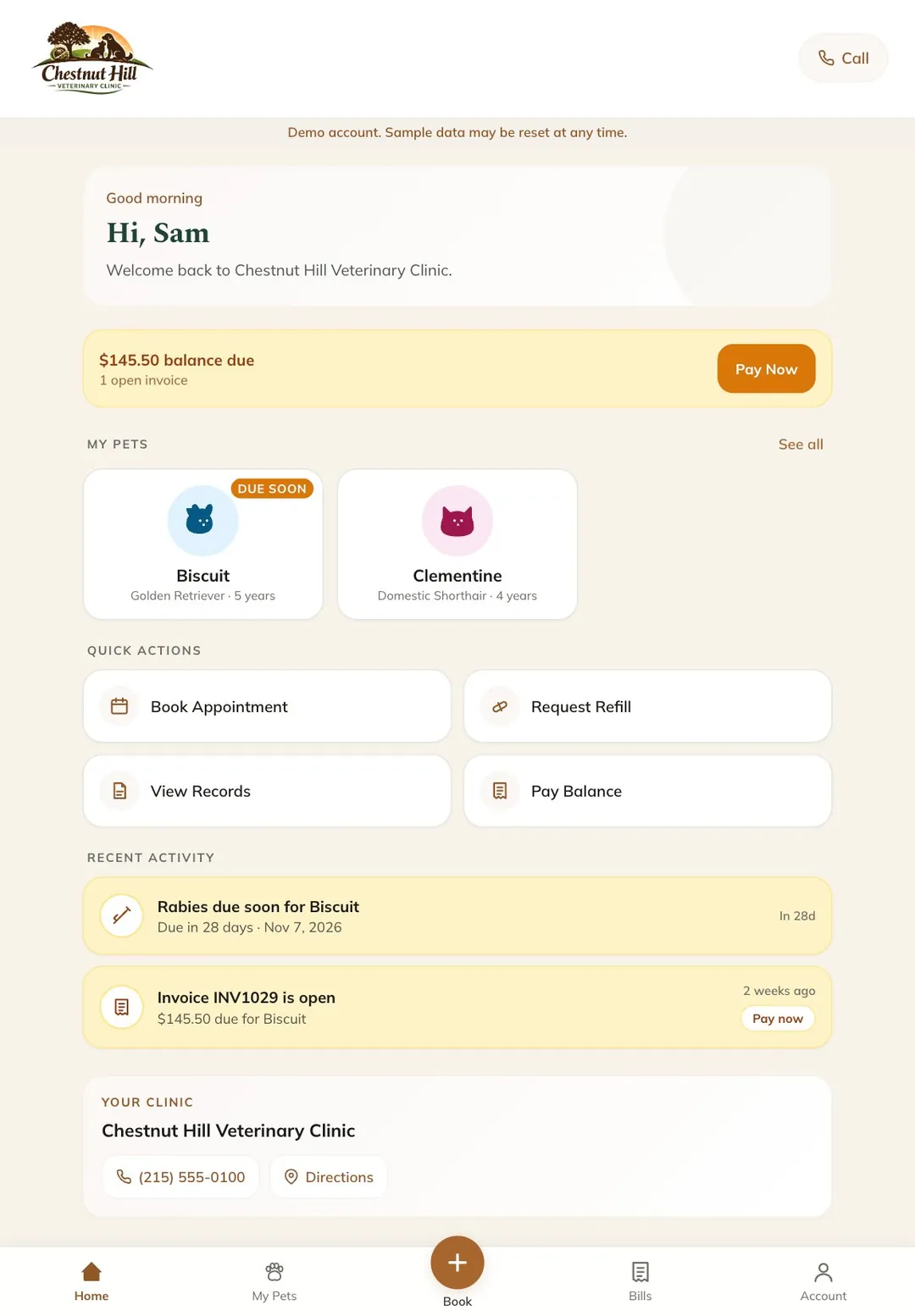
Pet owners book visits, see records, request refills, and pay bills from a phone, a tablet, or a laptop. Chestnut Hill is a fictional clinic we set up so you can try it yourself. Open the client app, tap Log in, then tap Explore the demo. No account is needed, and the sample data resets.
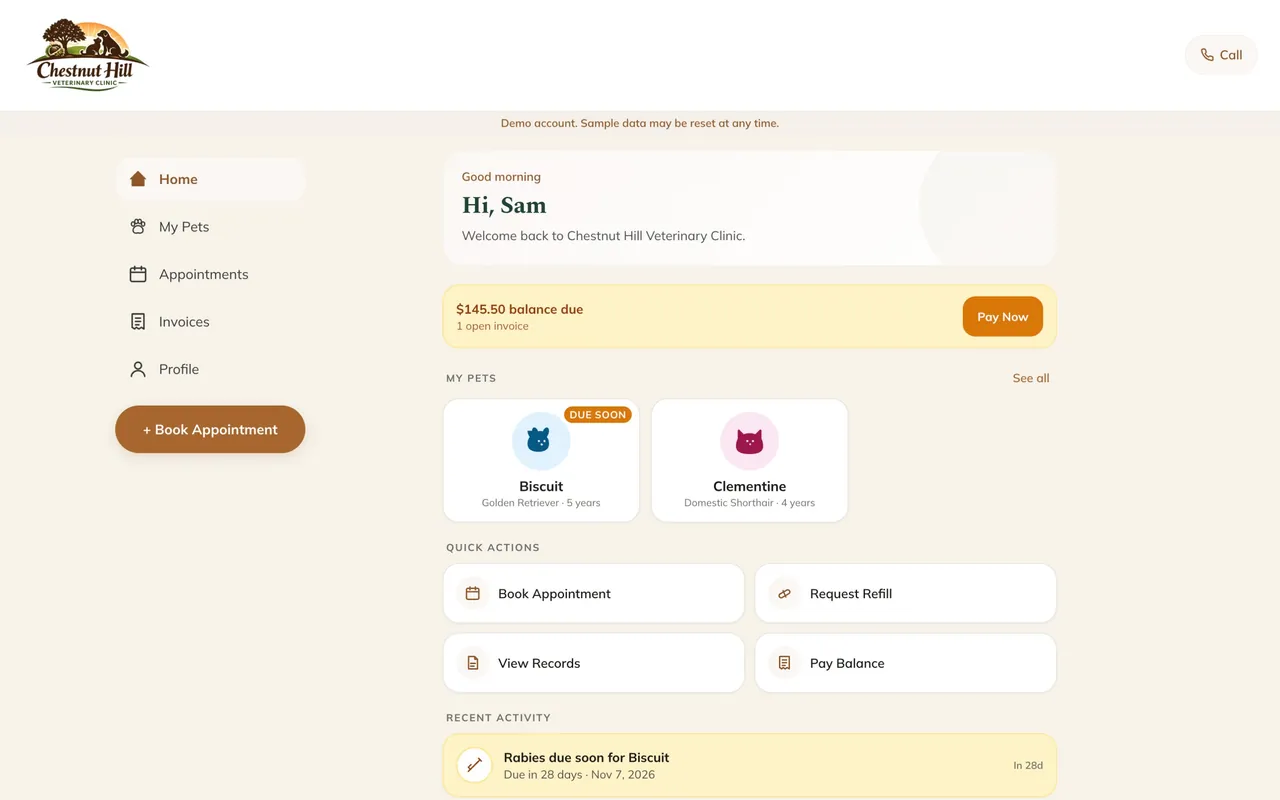
The Chestnut Hill client app on a laptop, signed in as a fictional demo family. Private beta, fictional demo data.
The Chestnut Hill client app on a tablet held upright, with a fictional family's pets, recent activity, and the clinic's contact details. Private beta, fictional demo data.
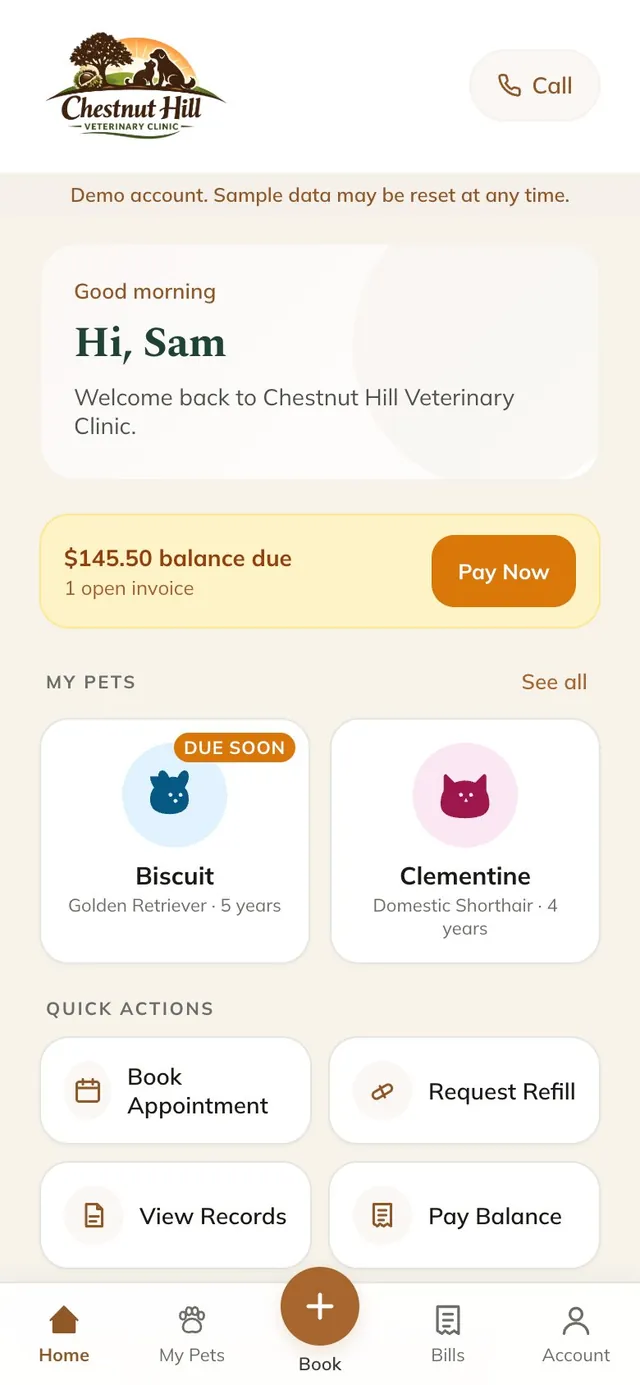
The Chestnut Hill client app on a phone, showing a fictional family's pets, a balance due, and quick actions. Private beta, fictional demo data.
The Chestnut Hill client app on a laptop, a tablet, and a phone, shown with fictional demo data.

Tell us where your clinic is stuck.

A better client experience, systems that talk to each other, or where Ark is today. Send a note and we will tell you plainly whether we are the right fit.